
Who has access to your data? What most companies don’t know about their reporting
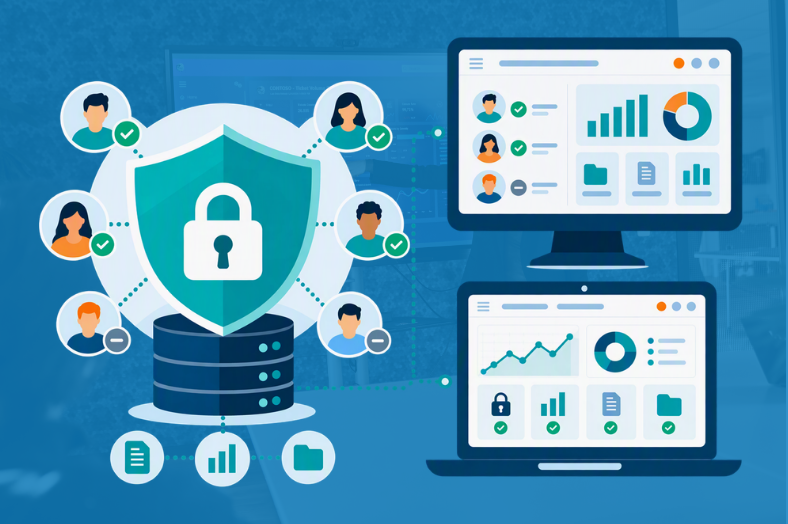
Most companies take data security seriously. They use Multi-Factor Authentication, carefully manage access rights and invest in securing their IT environment. Yet there is one seemingly simple question that can be surprisingly difficult to answer: who actually has access to your data right now?
There is an important difference between knowing who should have access and knowing where your data actually ends up. As reporting becomes more widespread across an organization, information is shared with more employees, customers, partners and other external users. Reports are downloaded, figures are exported to Excel and PDFs find their way into inboxes or shared folders.
None of this necessarily means your reporting environment is insecure. But it does make it increasingly difficult to maintain visibility and control over your data.
Your report can be secure while your reporting process isn’t
When a Power BI report is published in a controlled environment, there are several ways to determine who can access it and what information they are allowed to see. The challenge is that security does not stop at the point where somebody opens a dashboard.
Consider something as ordinary as an Excel export. Inside your reporting environment, you may have carefully configured permissions so that a user only sees information relevant to their role. As soon as that information is exported and sent as an attachment, however, you are dealing with a separate copy of that data.
The same applies to PDFs, screenshots and other downloaded files. Over time, those copies can spread across laptops, inboxes and shared folders. The original report may still be perfectly secured, while the organization gradually loses visibility over where the information from that report has gone.
That’s an important distinction because securing a report and staying in control of your data are not quite the same thing.
Do you know who can see what?
Suppose you have one report that is used by several departments, customers or business units. Giving every user a separate report would quickly become difficult to manage, while giving everybody access to the same information could expose data they do not need to see.
This is where technologies such as Row-Level Security (RLS) become important. Instead of simply determining whether someone can open a report, RLS can be used to restrict the data available to users based on their access.
It changes the security question from “Can this person access the report?” to “What should this person be able to see once they open it?”
Together with identity and authentication measures such as Single Sign-On (SSO) and Multi-Factor Authentication (MFA), this gives organizations more control over how people access reporting.
However, those controls are most valuable when people continue to consume their information within the controlled reporting environment. The more information is distributed as separate files and copies, the more difficult that control becomes.
Why keeping your data in your own tenant matters
There is another element that is easy to overlook when choosing how to make reports available: where does the underlying data actually reside?
For organizations working with sensitive customer, financial, HR or operational information, this matters. If a reporting solution requires data to be moved into another environment before it can be shared, you introduce another consideration into your security architecture.
An alternative is to keep the data and reports inside your organization’s own Microsoft Azure tenant while providing users with a secure way to access them.
That is the approach behind Webdashboard Hybrid.
How Webdashboard Hybrid helps you stay in control
With Webdashboard Hybrid, your data and reports remain within your own Azure tenant. Rather than moving data elsewhere to make reporting accessible, Webdashboard provides a user-friendly, branded portal through which internal and external users can access the reports they need.
This means that organizations do not have to choose between making business intelligence accessible and keeping control over their data.
Security measures such as RLS, SSO and MFA provide different layers of control. RLS can determine which data a user sees within a report, while SSO and MFA help control how users authenticate and gain access to the reporting environment.
For external reporting, there is another practical consideration. Customers, partners or other external users may need access to reports without having their own individual Power BI licenses. Webdashboard Hybrid provides a way to make those reports available through the portal without requiring a Power BI license for every individual viewer.
The result is a fundamentally different approach from sending someone an Excel file or PDF. You are giving people access to information instead of giving them another copy of the information.
Better security doesn’t have to mean less access
One of the difficulties with data security is finding the right balance. Lock information down too tightly and users struggle to get the insights they need. Make sharing too easy and information can quickly start moving beyond the environments you control.
Good reporting security should therefore not be about preventing people from using data. It should make it easier for the right people to access the right information in the right environment.
A centralized reporting portal can help with exactly that. Instead of having reports scattered across emails, files and different platforms, users have one place to access information. At the same time, the organization can apply security controls without making the experience unnecessarily complicated for the person who simply wants to view a dashboard.
That combination becomes particularly important when reporting extends beyond your own organization to customers, partners or other external audiences.
So, who has access to your data?
Most organizations will be able to tell you how their reporting environment is secured. The more difficult question is what happens to their data after people start using and sharing it.
How often is information exported? Where do those copies go? Can users see more than they really need? And could you confidently explain where your reporting data resides and how access to it is controlled?
These questions are becoming just as important as asking whether a dashboard itself is secure.
Because effective reporting security is not simply about putting another barrier between users and data. It’s about knowing where your data is, knowing who can access it and controlling what they can see without making reporting harder to use.
That is ultimately what organizations should be working towards: making data easier to use, without losing control of it along the way.
Want to share Power BI reports without moving your data out of your own Azure tenant? Discover Webdashboard Hybrid.